June 2, 2026 • Declan Harte • 9 min reading time • Specs verified June 5, 2026
Coax Cable for Signal Boosters: Why the Wrong Cable Kills Your Gain
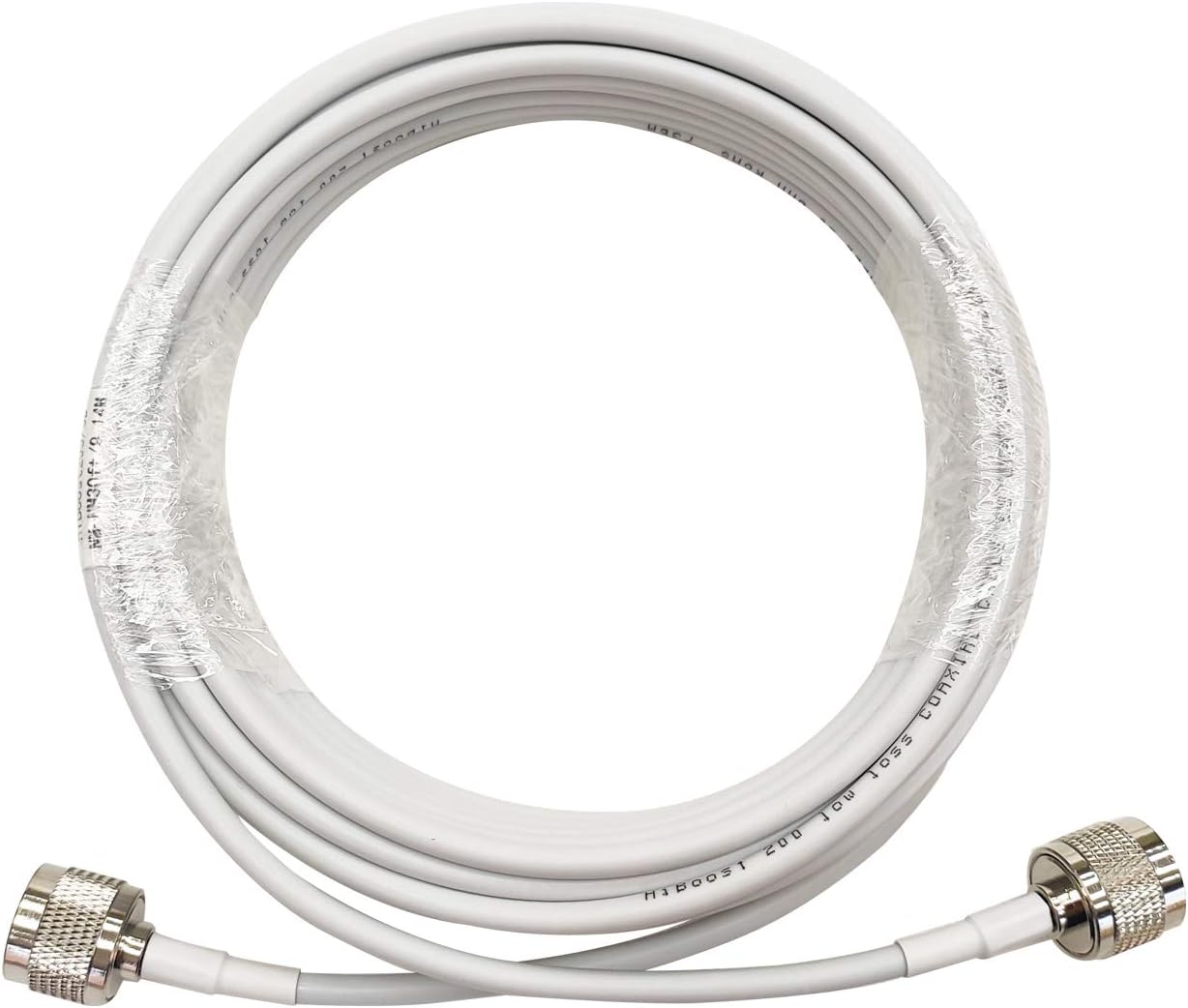
Picture a garden hose. If you put a powerful pump at one end but run the water through fifty feet of half-crimped, thin tubing, the pressure at the far end is a trickle. Signal boosters work the same way. A booster — the device that grabs weak cell signal from outside your home or vehicle, amplifies it, and rebroadcasts it indoors — is measured in decibels of gain (think of gain as how many times louder the signal gets). But every foot of cable connecting the booster to its antennas bleeds a little of that gain away through heat, which engineers call insertion loss. Buy the wrong cable and you can easily lose more signal in the wiring than you gain from a $400 amplifier. This guide explains exactly which cable types matter, how to size a run for your install, and the “if X, then Y” decision rules that separate a working system from an expensive wall decoration.
| EDITOR'S PICK[100FT 5D-FB Coaxial Cable 50 Oh…](https://www.amazon.com/dp/B0FRGBBJFG?tag=greenflower20-20) | Mid-tier[MOOKEERF RG58 Coaxial Cable - 5…](https://www.amazon.com/dp/B08F7DPDVH?tag=greenflower20-20) | Budget pick[HiBoost 30ft Ultra Low Loss Coa…](https://www.amazon.com/dp/B086YL2DTY?tag=greenflower20-20) | |
|---|---|---|---|
| Length | 100ft | 50ft | 30ft |
| Impedance | 50 Ohm | 50 Ohm | — |
| Cable Type | 5D-FB | RG58 | Ultra Low Loss |
| Connector Type | N-Male to SMA-Male | — | N-Male to N-Male |
| Color | White | Black | — |
| Price | $49.99 | $23.99 | $22.26 |
| See on Amazon → | See on Amazon → | See on Amazon → |
Why Cable Loss Is the Silent Gain Killer
You’ll see booster manufacturers advertise 65 dB or 72 dB of gain on the box. That number is measured at the booster’s coax ports — not at the tip of your indoor antenna. Everything between the port and the antenna is subtraction.
Coaxial cable (coax) is a specific type of two-conductor wire engineered to carry radio-frequency (RF) signals. The inner conductor carries the signal; a braided or foil outer shield prevents interference from leaking in or out. The dielectric — the insulating material between them — determines how fast and how cleanly the signal travels. Cheap cable uses a lossy dielectric. Better cable uses foam or air-spaced designs that let signal pass with far less heat generation.
The number you need to track is dB loss per 100 feet at the frequency you’re boosting. LTE and 5G signals travel on bands anywhere from 600 MHz (T-Mobile’s n71 low-band) up through 2,500 MHz (mid-band n41, which certified boosters cannot legally amplify under FCC Part 20 rules — a distinction worth knowing). Higher frequencies lose more signal per foot of cable. That means the cable grade that’s fine for a 20-foot cradle booster run in a pickup truck becomes a real problem on a 75-foot whole-home installation.
PCMag’s explainer on how cell signal boosters work notes that most booster failures in the field trace back to three causes: too little outdoor signal to start with, antenna placement errors, and cable runs that eat the system’s gain budget before a single call is made.
The Cable Tier List: RG-6, LMR-240, LMR-400, and What Ships in the Box
RG-6: The Absolute Floor
RG-6 is the cable that runs from a satellite dish to your television. It’s cheap, flexible, and widely available at any hardware store. At 700 MHz it loses roughly 3.1 dB per 100 feet. At 1,900 MHz that jumps to roughly 5.5 dB per 100 feet.
For a 50-foot run, you’re handing back 1.5–2.75 dB — not catastrophic on a short vehicle run or a basic home cradle mount. Entry-level boosters like a weBoost Drive Sleek or a simple wall-mount cradle unit frequently ship with RG-6 or an equivalent thin cable precisely because those runs are short by design. The moment a run exceeds 30–40 feet, RG-6 starts to cost you more than it saves.
When RG-6 is acceptable: Vehicle installs under 25 feet total; entry-level cradle boosters where the antenna sits in the same room as the booster; situations where the supplied cable is all you need.
LMR-240: The Versatile Middle Ground
LMR-240 is a Times Microwave Systems cable designation that has become the generic shorthand for mid-grade flexible coax. Per the Times Microwave LMR Cable Series technical data sheet, LMR-240 loses approximately 6.8 dB per 100 feet at 1,900 MHz — measurably better than RG-6. It’s still flexible enough to route through walls with standard drill-through techniques, which matters when you’re threading cable from an attic to a closet.
Most mid-range home booster kits — the weBoost Home MultiRoom (~$350) and the SureCall Fusion4Home — ship with LMR-240 or a direct equivalent. Waveform.com’s coax selection guide, one of the most thorough publicly available references on this topic, places LMR-240 as the right choice for runs of 50–75 feet where wall penetrations require flexibility.
When LMR-240 is the right call: Suburban single-family installs with moderate cable runs (50–75 ft); any situation where you need to route through wall plates or conduit bends.
LMR-400: When Distance Is Non-Negotiable
LMR-400 is thicker — about 0.4 inches in diameter — and substantially stiffer. That stiffness is the price of performance: at 1,900 MHz, Times Microwave specs it at roughly 3.9 dB per 100 feet, nearly half the loss of LMR-240 over the same distance. At 100 feet, you’re recovering almost 3 dB compared to the mid-grade option. In a system with 65 dB of booster gain, 3 dB is the difference between covering 2,000 square feet and covering 3,500 square feet.
The weBoost Installed Home Complete — the benchmark whole-home installation this site treats as the aspirational standard for serious buyers — uses LMR-400 equivalents throughout the installation, which is one of the reasons professional installs outperform typical DIY jobs even when the booster hardware is identical. Waveform’s design team, which offers free pre-sale consultation for complex installs, routinely specifies LMR-400 for rural properties where the outdoor antenna needs to be 80–120 feet from the booster location.
For commercial installs — a Wilson Pro 70 Plus or SureCall Fusion5X covering a warehouse or multi-tenant building — LMR-400 (or its heavier sibling LMR-600) is essentially the professional default. Facilities directors should budget for proper low-loss backbone cable before the amplifier cost, not after.
When LMR-400 is required: Rural homeowner installs with outdoor antenna runs over 75 feet; commercial/enterprise distributed antenna backbone runs; any install where you’ve done the loss math and LMR-240 leaves you short.
The Loss Budget: Show the Math
By the numbers — cable loss at 1,900 MHz (approximate)
| Cable Type | Loss per 100 ft | Loss on a 75 ft run |
|---|---|---|
| RG-6 | ~5.5 dB | ~4.1 dB |
| LMR-240 | ~6.8 dB | ~5.1 dB |
| LMR-400 | ~3.9 dB | ~2.9 dB |
(Sources: Times Microwave Systems LMR data sheet; Waveform.com cable loss calculator)
Here’s how to apply the math on a real install. Suppose you’re installing a weBoost Home MultiRoom, rated at 65 dB gain. You have a 75-foot outdoor cable run plus a 40-foot indoor run — 115 feet total. With RG-6, you’d lose roughly 6.3 dB. With LMR-400, you’d lose roughly 4.5 dB. That 1.8 dB difference sounds small until you remember that every 3 dB of signal loss cuts your effective coverage area roughly in half. On a system where the booster is doing 65 dB of work, losing 6+ dB in cable means you’re running a 59 dB system. Losing only 4.5 dB means you’re running a 60.5 dB system — and the coverage difference in practice is a full room.
CNET’s 2025 booster roundup specifically flagged cable quality as the variable that most often explains why two identical booster models perform differently in side-by-side comparisons across similar homes.
Connectors, Adapters, and the Hidden Loss Points
Every connector adds a small penalty. An N-type connector done correctly adds roughly 0.1–0.2 dB. An F-connector (the kind used on satellite dish cable) adds slightly more and is more susceptible to water ingress outdoors. Each adapter — N-male to SMA, for instance — adds another 0.2–0.5 dB.
This matters on vehicle installs where enthusiasts often chain adapters to reuse existing cable. SureCall’s technical documentation for the Fusion2Go 3.0 specifically cautions against using more than one adapter in the signal path for exactly this reason.
A few connector rules worth committing to muscle memory:
- N-type connectors are the professional default for outdoor connections on home and commercial installs. They weather well and seal reliably.
- SMA connectors are common on the indoor port of vehicle and portable boosters. Keep them dry and hand-tight.
- Never use barrel adapters outdoors without weatherproofing tape. Water in a connector can add 3–6 dB of loss and cause corrosion that isn’t visible until the system starts dropping calls.
The If/Then Decision Frame
This is where the installer’s intuition gets codified into rules you can actually apply at the design stage.
If your total cable run (outdoor + indoor combined) is under 50 feet: The cable that shipped with the booster is probably adequate. Verify it’s at least RG-6 quality and move on.
If your run is 50–75 feet and you’re in a suburban or light rural setting: Upgrade to LMR-240 if the kit cable is RG-6; keep the LMR-240 if the kit already includes it. You’ll recover 1–2 dB over a long install day.
If your run exceeds 75 feet — or you’re on a multi-acre rural property where the outdoor antenna needs to be high on a barn or roofline: LMR-400 is not optional. Budget roughly $1.00–$1.50 per foot for the cable itself plus quality N-type connectors at each termination. Waveform and Powerful Signal both stock pre-cut and terminated LMR-400 runs if you’d rather not crimp your own.
If you’re speccing a commercial or multi-tenant install: Engage a pre-sale design consultation before purchasing anything. Enterprise amplifiers like the Wilson Pro 70 Plus or Nextivity Cel-Fi PRO are carrier-registration-sensitive (per FCC Part 20 rules governing commercial boosters), and the cable backbone architecture is part of the approval documentation. The cable spec isn’t an afterthought — it’s part of the system design.
If you’ve already bought a booster and it’s underperforming: Before blaming the unit, measure your total cable run and calculate the loss with the actual cable you installed. A 90-foot RG-6 run will cost you 5+ dB — enough to explain a coverage area that’s a fraction of what the box promised. Swapping to LMR-400 on an existing installation is the cheapest upgrade that no one thinks to make.
Where to Buy and What to Ask For
Amazon carries LMR-240 and LMR-400 by the foot from reputable sellers, but the quality of field terminations on pre-made cables varies. For runs where performance matters — and at this point in the article you’ve established that it always matters — Waveform.com and Powerful Signal both offer pre-sale technical support and will spec the exact cable and connector combination for your install before you buy. That free advice is worth more than the marginal Amazon discount on a $75 cable run, especially on a system anchored by a $500–$1,200 amplifier.
The bottom line is direct: a signal booster is only as good as its weakest link, and in most failing installs, that link is a 75-foot run of cable that came in the box because the manufacturer was optimizing for packaging cost, not signal performance. Know your run length, do the loss math, and buy cable like it’s part of the amplifier — because it is.